

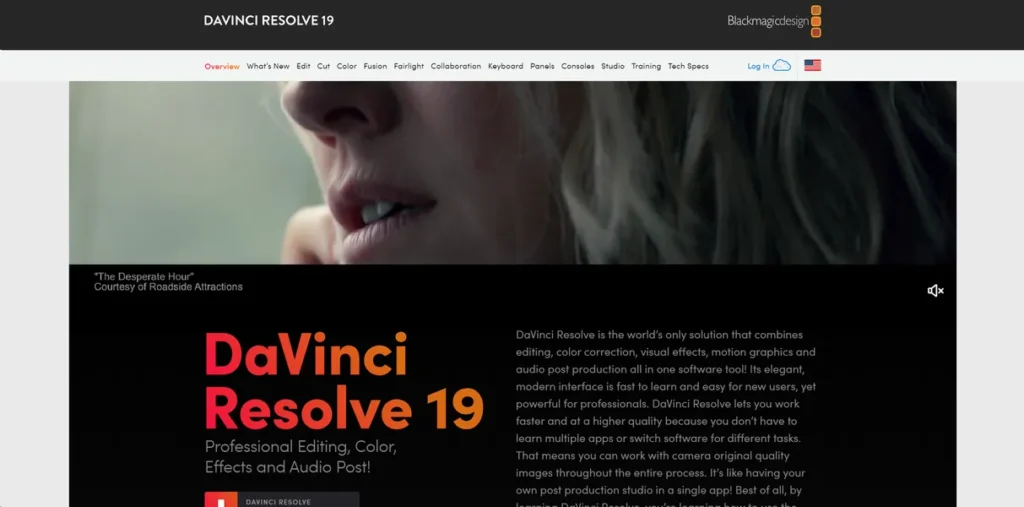
What is DaVinci Resolve?
DaVinci Resolve 19 is an integrated software solution engineered to consolidate the entire post-production pipeline into a single application environment. Unlike workflows that require round-tripping between separate programs for editing, color grading, visual effects, and audio mixing, DaVinci Resolve uses a unified data model. This monolithic architecture allows different specialists—editors, colorists, VFX artists, and sound engineers—to work on the same project simultaneously. Primarily built for high-end film and broadcast production, its robust backend is designed for high-throughput media processing, leveraging GPU acceleration for real-time performance. For developers and technical directors, it represents a streamlined approach to post-production, minimizing data translation errors and pipeline friction.
Key Features and How It Works
DaVinci Resolve’s power stems from its distinct yet interconnected modules, which operate on a shared timeline and media pool. This design ensures that changes made in one module are instantly reflected in all others.
- Professional Editing Tools: The software offers two primary editing interfaces: the ‘Edit’ page, a traditional non-linear editor (NLE) timeline, and the ‘Cut’ page, a streamlined UI optimized for rapid assembly and trimming. Both interfaces access the same underlying project data, providing flexibility without compromising project integrity.
- Advanced Color Correction: The ‘Color’ page is the software’s core legacy feature. It provides a node-based interface for color grading, operating within a 32-bit float image processing pipeline. This ensures maximum precision and avoids data clipping when making extreme adjustments to color and luminance.
- Fusion VFX: Integrated directly into the timeline, Fusion is a node-based compositing engine for creating complex visual effects and motion graphics. This architecture allows for the procedural generation of effects, offering a logical and non-destructive workflow that is highly scalable for complex shot construction.
- Fairlight Audio Post: Fairlight is a full-fledged Digital Audio Workstation (DAW) built into DaVinci Resolve. It supports high track counts (up to 2,000) and provides real-time processing of effects, equalization, and dynamics, all within the same application.
- Multi-User Collaboration: A key enterprise feature, this allows multiple workstations to connect to a central project server running a PostgreSQL database. This architecture enables true simultaneous collaboration, where different users can perform different tasks on the same project in real time.
- DaVinci Neural Engine: This is a suite of AI and machine learning tools accessible via an API. It leverages GPU-accelerated neural networks for tasks like facial recognition, object detection for power windows, smart re-framing, and scene cut detection, automating processes that were previously labor-intensive.
Pros and Cons
Pros
- Unified Architecture: Integrating all post-production disciplines into one application eliminates data-translation errors and versioning conflicts common with multi-app workflows.
- High-Performance Engine: Extensive use of GPU acceleration (CUDA, Metal, OpenCL) for real-time playback and rendering makes it highly efficient for processing high-resolution media.
- Scalability: The multi-user collaboration features and support for Linux make it suitable for large-scale enterprise deployments in major studios.
- Cost Model: The one-time purchase for the Studio version and the highly capable free tier provide an exceptional cost-to-performance ratio compared to subscription-based models.
Cons
- High System Requirements: To leverage its full capabilities, especially with high-resolution formats, a robust system with a powerful, dedicated GPU and significant RAM is non-negotiable.
- Steep Learning Curve: The sheer number of features and the complexity of modules like Fusion and Fairlight present a high cognitive load for new users.
- Vendor Ecosystem Preference: While it supports OpenFX plugins and third-party hardware, the software is heavily optimized for Blackmagic Design’s hardware ecosystem, which can feel like a soft vendor lock-in.
Who Should Consider DaVinci Resolve?
From a technical standpoint, DaVinci Resolve is ideal for teams and individuals who prioritize pipeline efficiency and technical control. This includes:
- Production Studios: Teams that can leverage the PostgreSQL-based collaboration server to enable parallel workflows and increase operational throughput.
- Technical Directors & Pipeline Developers: Professionals who can utilize the Python and LUA scripting APIs to automate tasks and integrate DaVinci Resolve into larger production pipelines.
- Independent Filmmakers & Freelancers: Individuals who require a powerful, all-in-one solution that minimizes software costs without compromising on professional-grade tools or output quality.
- VFX Artists & Colorists: Specialists who benefit from the deep, node-based control provided by the Fusion and Color pages, respectively.
Pricing and Plans
DaVinci Resolve operates on a freemium model, providing a clear path from entry-level use to professional deployment.
- DaVinci Resolve (Free): This version is remarkably robust and suitable for professional work up to Ultra HD resolution at 60 fps. It includes the core editing, color, Fusion, and Fairlight modules.
- DaVinci Resolve Studio: For a one-time fee of $295, this plan unlocks the software’s full potential. Key additions include access to the DaVinci Neural Engine, multi-GPU support, advanced noise reduction tools, stereoscopic 3D workflows, a wider range of Resolve FX plugins, and higher resolution/frame rate limits.
What makes DaVinci Resolve great?
Tired of round-tripping projects between disparate applications and dealing with compatibility nightmares? DaVinci Resolve’s greatest strength is its fully integrated architecture. By building editing, color grading, VFX, and audio post-production on top of a single, unified data model, it completely eradicates the need for intermediate renders or project exports (like XML or AAF) between disciplines. This not only accelerates the workflow but, more importantly, enhances pipeline stability and preserves image and audio fidelity at every stage. Every module operates on the same source media and timeline, ensuring that a change made by the colorist is instantly and non-destructively available to the editor. This seamless integration is a significant engineering achievement that directly translates to a more efficient and reliable post-production process.
Frequently Asked Questions
- How does DaVinci Resolve’s multi-user collaboration work on a technical level?
- It utilizes a centralized PostgreSQL database to host and manage all project media and metadata. Multiple DaVinci Resolve clients on the same local network can connect to this database, enabling real-time, simultaneous access to projects. The system manages conflicts through features like timeline and bin locking.
- Does DaVinci Resolve require specific hardware for optimal performance?
- While it can run on a variety of systems, performance is heavily dependent on GPU capability. For a smooth experience, especially with 4K+ media and computationally intensive tasks like noise reduction or Fusion composites, a modern NVIDIA, AMD, or Apple Silicon GPU with substantial VRAM (8GB+) is strongly recommended.
- What scripting and automation capabilities does DaVinci Resolve Studio offer?
- DaVinci Resolve Studio includes robust support for Python and LUA scripting. This provides an extensive API that allows developers to automate repetitive tasks, manage media bins, render jobs, and integrate the software into broader, automated production pipelines.
- Is the free version of DaVinci Resolve sufficient for professional work?
- For many delivery requirements, the free version is more than sufficient. However, the Studio version is essential for high-end workflows that require multi-GPU support, advanced DaVinci Neural Engine features, HDR delivery, 10-bit hardware-accelerated decoding/encoding, or advanced visual effects like temporal noise reduction.