

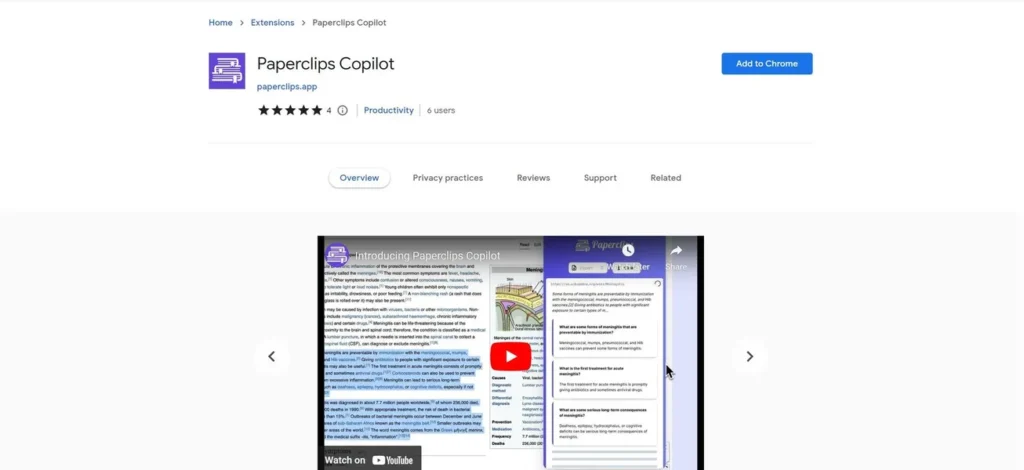
What is Paperclips Copilot?
Paperclips Copilot is an AI-driven software tool designed to automate the creation of flashcards. For a business, this translates to a system for rapidly converting existing documents, internal wikis, or any public webpage into micro-learning assets. Instead of manually creating training materials, the tool extracts key information and structures it into a question-and-answer format suitable for knowledge reinforcement. It positions itself as a productivity accelerator for any team that relies on memorization and retention of specific information, from sales teams learning product specs to new hires absorbing company policies. The primary function is to reduce the administrative overhead associated with developing foundational training content.
Key Features and How It Works
The operational value of Paperclips Copilot is best understood through its core features, which focus on efficiency and workflow integration. It’s a straightforward system: you provide text or a URL, and the AI generates flashcards.
- Automatic Flashcard Generation: This is the central function. The tool’s AI scans the provided source material—be it pasted notes or a live webpage—and identifies key concepts to formulate questions and answers. This directly reduces the man-hours required to produce study and training aids.
- Multilingual Support: For businesses with international teams, the tool can generate flashcards in the same language as the source document. This allows for the creation of standardized training materials that can be deployed across different regions without manual translation of the core concepts.
- Cross-Platform Compatibility: Generated flashcards are not locked into a proprietary ecosystem. They can be exported to common formats like PDF, CSV, Anki, and Quizlet. This flexibility allows teams to use their preferred study tools, lowering the barrier to adoption.
- Browser Extension: The Chrome extension is a key component for workflow efficiency. It enables users to create flashcards directly from any webpage without navigating away or copy-pasting content. This is useful for capturing information from industry articles, competitor websites, or technical documentation on the fly.
Pros and Cons
Evaluating Paperclips Copilot requires a practical look at its advantages and limitations in a business context.
Pros
- Time-Saving: The tool’s primary benefit is a significant reduction in the time needed to create learning materials. This translates directly to cost savings in labor.
- Ease of Use: The interface is designed for simplicity, meaning minimal training is required for employees to begin using it. This high usability ensures a smoother adoption process.
- Enhanced Knowledge Retention: By simplifying the creation of study aids, it encourages active recall and spaced repetition, proven methods for improving long-term memory of important information.
- Flexible Export Options: The ability to export to multiple formats prevents vendor lock-in and allows integration with existing learning workflows and software.
Cons
- Limited Customization: The automated generation process offers little control over the final output’s branding, style, or specific question format, which may not align with strict corporate training standards.
- Internet Dependency: The tool requires an active internet connection to function. This can be a significant drawback for teams working in the field, during travel, or in locations with unreliable connectivity.
Who Should Consider Paperclips Copilot?
Paperclips Copilot is not a comprehensive Learning Management System (LMS), but rather a focused utility for specific business needs. Its value is highest for roles that require rapid assimilation and retention of factual information.
- Learning and Development (L&D) Teams: For quickly generating supplemental materials for onboarding, compliance training, or new software rollouts.
- Sales Enablement Managers: To create flashcards for sales teams covering product specifications, pricing tiers, competitor analysis, and key value propositions.
- Corporate Trainers: To build reinforcement materials for workshops and seminars, helping attendees retain key takeaways.
- Small Business Owners: For owner-operators who need to create standardized training processes for new employees without investing in a dedicated L&D department or expensive course authoring tools.
Pricing and Plans
During our review, clear pricing information for the Pro version was not readily available on the tool’s public-facing pages. A free version is available through the Chrome extension, which provides access to basic functionality. However, for businesses needing to evaluate the total cost of ownership, the lack of transparent pricing tiers for enhanced features is a significant hurdle. This requires direct inquiry, which can delay procurement and budgeting processes. For the most accurate and up-to-date pricing, please visit the official Paperclips Copilot website.
What makes Paperclips Copilot great?
The single most powerful feature of Paperclips Copilot is its browser extension, which eliminates friction by turning any webpage into a set of training flashcards instantly. This capability transforms the entire web into a potential source for just-in-time learning materials. A manager can find a relevant industry report and, within minutes, convert its key findings into a flashcard deck for their team. This immediacy and seamless integration into the daily browsing workflow mean that learning opportunities are not missed. It moves the task of content creation from a planned, time-intensive project to an impromptu, efficient action, which is a tangible asset for any fast-moving organization.
Frequently Asked Questions
- How secure is our company’s proprietary information when using Paperclips Copilot?
- Users should review the platform’s data privacy and security policies directly. When pasting sensitive internal information, it is crucial to understand how that data is processed and stored by the AI.
- Can we customize the flashcards with our company branding?
- Based on the available information, the tool offers limited customization. The focus is on rapid, automated generation rather than detailed control over aesthetics like logos or color schemes.
- How steep is the learning curve for our team?
- The learning curve appears to be very low. The interface is intuitive, and the core functionality of highlighting text or using the browser extension requires minimal instruction, making it easy to deploy across a team.
- Is there an enterprise version with team management features?
- The public information focuses on individual use via free and pro versions. Businesses interested in team accounts, user management, or volume licensing would need to contact the provider for details on enterprise offerings.