

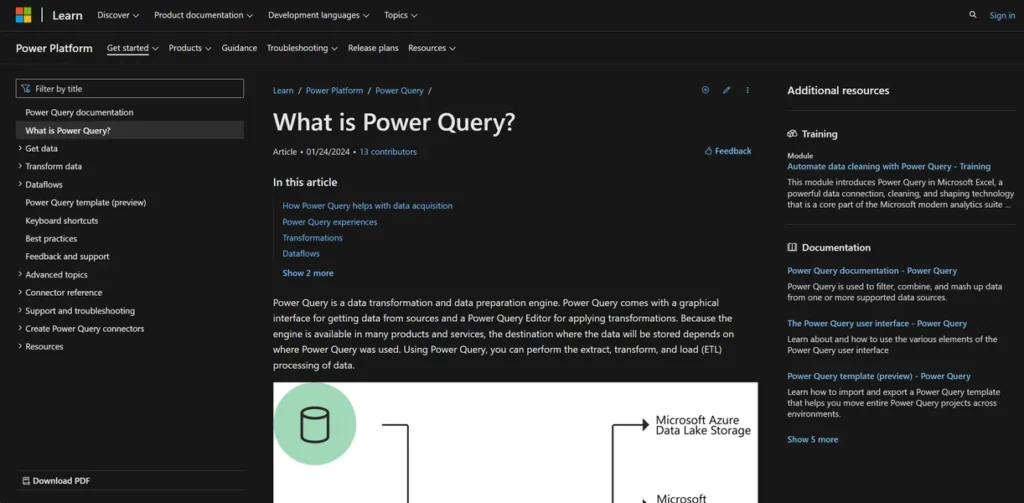
What is Power Query?
For a small business owner, time is the most valuable asset. Power Query is a data transformation engine built by Microsoft that helps you reclaim hours spent on manual data cleanup. It is not a standalone application you need to purchase, but rather a feature integrated directly into tools you likely already use, such as Microsoft Excel and Power BI. In practical terms, it allows you to connect to various data sources—like sales reports, website analytics, or supplier spreadsheets—and then clean, shape, and combine that data through a user-friendly interface. The result is a streamlined, automated process that turns messy, raw data into a clean, organized dataset ready for analysis, reducing manual errors and freeing up your team to focus on making informed business decisions instead of wrestling with spreadsheets.
Key Features and How It Works
Power Query operates as a dedicated workshop for your data. Its features are designed to create a repeatable process, ensuring that once you define your data cleaning steps, you can execute them again with a single click.
- Graphical Interface: You don’t need a background in coding to use Power Query. It offers a point-and-click environment where you can select data sources and apply transformations from a ribbon menu, similar to using other Microsoft products.
- Power Query Editor: This is the core of the tool where you shape your data. You can perform hundreds of transformations, such as removing columns, filtering rows, merging tables from different sources, splitting text into columns, and pivoting data, all without writing a single formula.
- Wide Data Source Connectivity: It can pull data from over 350 different sources. This means you can directly connect to everything from a simple CSV file or Excel workbook to a SQL database, an Azure cloud service, or even data tables on a public website.
- M Code Automation: Every action you take in the graphical editor—every click and transformation—is recorded in the background as a line of code in a language called ‘M’. This query can then be saved and re-run on new data, creating a robust, automated workflow for recurring reports.
- Scheduled Refreshes: Within services like Power BI, you can schedule your queries to refresh automatically. This ensures your reports and dashboards are always populated with the most current information without any manual intervention.
Pros and Cons
Evaluating Power Query requires a practical look at its direct impact on business operations.
Pros
- Tangible Time Savings: By automating repetitive data preparation tasks, it directly reduces employee hours spent on manual copy-pasting and cleanup, delivering a clear return on the initial time investment.
- Improved Data Accuracy: Automation minimizes the potential for human error inherent in manual data handling. This leads to more reliable reports, more trustworthy analytics, and better-informed strategic decisions.
- Leverages Existing Software: Since it’s embedded within Microsoft 365 products like Excel and Power BI, there is often no additional software cost, making it an extremely cost-effective solution for businesses already in the Microsoft ecosystem.
- Empowers Non-Technical Staff: It enables business analysts, marketing managers, and other professionals to perform complex data manipulation tasks that would previously have required support from an IT department or a data specialist.
Cons
- Initial Time Investment: While it is a no-code tool, understanding its full capabilities and best practices requires an upfront learning commitment. New users may need time to become proficient.
- Microsoft Ecosystem Dependency: The tool provides maximum value when used within the Microsoft suite. For businesses that primarily operate on other platforms like Google Workspace, its utility is significantly limited.
- Potentially Overwhelming Interface: For first-time users, the Power Query Editor presents a vast number of buttons and options, which can feel intimidating without guided learning.
Who Should Consider Power Query?
Power Query is a practical tool for any business owner, manager, or employee who regularly compiles reports by combining data from multiple sources. If you find yourself spending more than a few hours each month manually cleaning and merging spreadsheets, this tool is designed for you.
- Business Owners & Entrepreneurs: Those who need a consolidated view of business health by merging financial data, sales figures, and marketing analytics without hiring a dedicated data analyst.
- Sales Managers: Teams that need to combine CRM exports with internal sales logs and regional targets to create unified performance dashboards.
- Marketing Professionals: Marketers who pull data from Google Analytics, social media platforms, and email marketing services to build comprehensive campaign performance reports.
- Operations & Inventory Managers: Professionals who must consolidate data from supplier reports, shipping logs, and internal inventory systems to manage stock levels effectively.
Pricing and Plans
Specific pricing tiers for advanced features of Power Query were not available. The core functionality is included at no extra cost within many versions of Microsoft Excel (for Windows) and the free Power BI Desktop application. For businesses, this means the tool is often accessible through existing Microsoft 365 subscriptions. Enhanced capabilities, such as cloud-based dataflows and larger-scale data handling, are typically part of premium Power BI and Power Automate licenses. For the most accurate and up-to-date pricing, please visit the official Power Query website.
What makes Power Query great?
The single most powerful feature of Power Query is its ability to record your data transformation steps and replay them on demand. This ‘record and replay’ functionality is what separates it from traditional spreadsheet tasks. Once you design a query to clean a weekly sales report—by removing unnecessary columns, filtering for specific regions, and merging it with customer data—that exact sequence of steps is saved. The following week, when you receive the new sales report, you simply click ‘Refresh’. Power Query repeats every step automatically in seconds. This creates a reliable, consistent, and error-free data pipeline that turns hours of tedious manual work into a simple, one-click update, delivering a direct and measurable return on investment through saved labor costs.
Frequently Asked Questions
- Do I need to learn how to code to use Power Query?
- No. The vast majority of its functionality is accessible through a user-friendly, point-and-click interface. Power Query automatically generates the underlying code (known as M language) for you, so you can achieve powerful results without any programming knowledge.
- Is this just a more complicated version of Excel formulas and filters?
- No, it’s a fundamentally different and more powerful tool. While Excel formulas manipulate data that already exists inside a worksheet, Power Query is a dedicated engine for extracting, transforming, and loading data *before* it gets to your worksheet. Its steps are recorded, repeatable, and do not alter your original source data.
- My business uses software that isn’t from Microsoft. Can Power Query connect to it?
- Power Query has native connectors for over 350 sources, including many non-Microsoft databases and services. For any other software, as long as you can export its data into a standard file format like a CSV, Excel workbook, or text file, Power Query can connect to and process that file.
- Realistically, how much time will it save me?
- The time savings are most significant for recurring tasks. For a report that you manually compile and clean on a weekly or monthly basis, the initial setup in Power Query might take as long as your first manual run. However, every subsequent report can be generated in minutes with a simple refresh, potentially saving hours of work each cycle.