

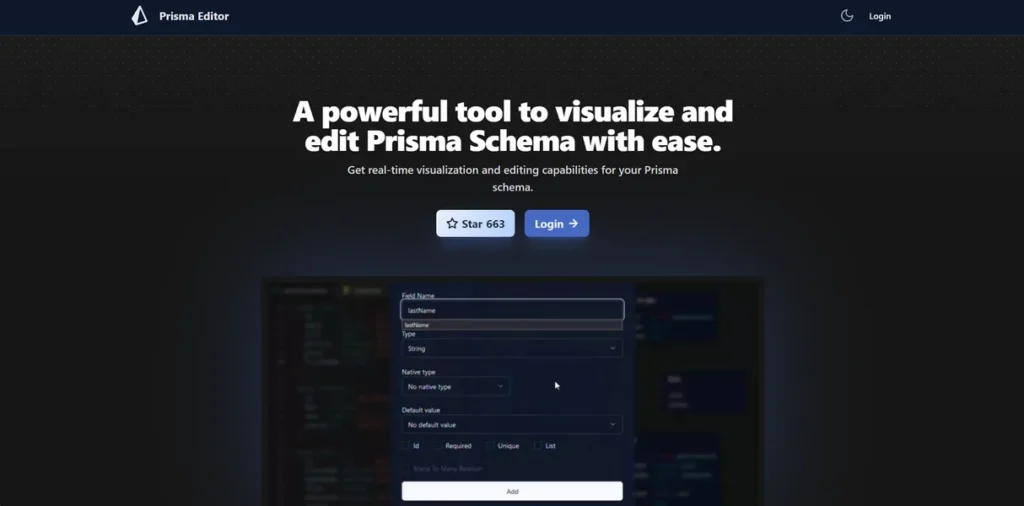
What is Prisma Editor?
For any business developing software, managing the database structure—the schema—is a critical, yet often tedious, task. Errors here can be costly and time-consuming to fix down the line. Prisma Editor enters as a specialized tool designed to simplify this process. It provides a visual, graphical interface for developers to build, view, and modify Prisma schemas, which are used to define your application’s database structure. In simple terms, it’s a visual workbench that aims to replace manual code editing, reduce errors, and speed up development. For a small business, this translates to saved developer hours and a more stable final product.
Key Features and How It Works
Prisma Editor works by providing a visual layer on top of your Prisma schema file. Instead of just writing code, developers can interact with diagrams and menus to build their database models. The tool then translates these visual changes back into clean, organized code.
- Real-time Visualization: This feature instantly displays your database structure as a graphical chart. Think of it like an architect’s live blueprint for a building; as you add a room or move a wall on the screen, the blueprint immediately updates for everyone to see. This instant feedback loop helps developers catch structural issues early, before they become expensive problems.
- Direct Schema Editing: Users can click and drag elements, add fields, and define relationships directly within the visual interface. This hands-on approach is more intuitive and can significantly reduce the time it takes to prototype and iterate on database designs.
- OpenAI Integration: Leveraging AI, the editor can generate boilerplate schema code from natural language prompts. A developer can type a command like “Create a user model with fields for name, email, and password,” and the tool generates the necessary code, saving valuable time on repetitive tasks.
- SQL Code Generation: Once your schema is designed, the tool can automatically generate the corresponding SQL code needed to set up the database. This automates a key step in the development workflow, ensuring consistency and reducing manual error.
- Schema Sharing: Designs can be shared with team members via a simple link, facilitating collaboration and ensuring everyone is working from the same playbook. This is crucial for remote teams or for getting quick feedback from stakeholders.
Pros and Cons
Every tool involves trade-offs, and for a business owner, it’s essential to weigh them carefully.
Pros:
- Increased Efficiency: The visual interface and AI code generation can drastically cut down on development time, allowing your team to focus on building features rather than wrestling with database configurations.
- Reduced Errors: Visualizing the schema helps identify logical flaws and inconsistencies that are easy to miss in lines of code, leading to a more robust application.
- Improved Collaboration: Sharing a visual diagram is far more effective for team alignment than sharing a code file, reducing misunderstandings between developers.
- Lower Learning Curve: For developers new to Prisma, the visual editor can make the onboarding process much smoother compared to learning the syntax from scratch.
Cons:
- Community-Driven Support: As a community project, it may lack the dedicated, 24/7 support that a commercial product offers. For a business-critical application, this could be a significant risk if you run into problems.
- Niche Focus: The tool is highly specialized for Prisma. If your tech stack changes, the investment in learning this tool might not be transferable.
- Potential Learning Curve: While intuitive for some, developers unfamiliar with database architecture or Prisma itself will still need time to get up to speed.
Who Should Consider Prisma Editor?
Prisma Editor is not a one-size-fits-all solution. It offers the most value to specific types of teams:
- Startups and Small Businesses: Lean teams can leverage the tool’s efficiency to accelerate prototyping and build products faster with fewer resources.
- Development Agencies: Teams managing multiple client projects can use it to standardize their database design process and quickly onboard new developers to a project.
- Teams with Junior Developers: The visual nature of the editor serves as an excellent guardrail, helping less experienced developers understand complex database relationships and avoid common mistakes.
- Educational Institutions: It’s a practical tool for teaching modern database management concepts in a more engaging, hands-on manner.
Pricing and Plans
At the time of this review, specific pricing information for Prisma Editor was not publicly available, as it is positioned as a community-driven project. For the most accurate and up-to-date pricing, please visit the official Prisma Editor website.
What makes Prisma Editor great?
The single most powerful feature of Prisma Editor is its real-time, interactive visualization of the database schema. While other tools can generate diagrams, the ability to directly edit the schema through that visual interface and see the code update instantly is a game-changer. It transforms an abstract, code-heavy task into a tangible, intuitive process. This direct manipulation dramatically lowers the cognitive load on developers, allowing for faster iteration and a deeper understanding of the data structure. For a business, this feature directly impacts the bottom line by preventing costly architectural mistakes and speeding up the entire development lifecycle.
Frequently Asked Questions
- 1. Do my developers need to be Prisma experts to use this tool?
- No, but a basic understanding of Prisma and database concepts is beneficial. The visual interface is designed to lower the barrier to entry, but it’s a tool to enhance a developer’s workflow, not replace foundational knowledge.
- 2. How exactly does Prisma Editor save my business money?
- It saves money primarily by saving developer time. Faster schema creation, automated code generation, and fewer errors mean your development team can ship features more quickly and spend less time on debugging and maintenance. This translates directly to lower payroll costs per project and faster time-to-market.
- 3. What are the business risks of relying on a community-driven tool?
- The main risks are the lack of guaranteed support and an unpredictable update schedule. If your team encounters a critical bug, you’ll be relying on the community for a fix, which may not be immediate. For mission-critical systems, this can be a significant concern.
- 4. Can this be used for an existing project, or only new ones?
- Prisma Editor can be used with existing Prisma schemas. It can import your current `schema.prisma` file, allowing you to visualize and manage your existing database structure, making it valuable for both new and ongoing projects.