

What is Tinybird?
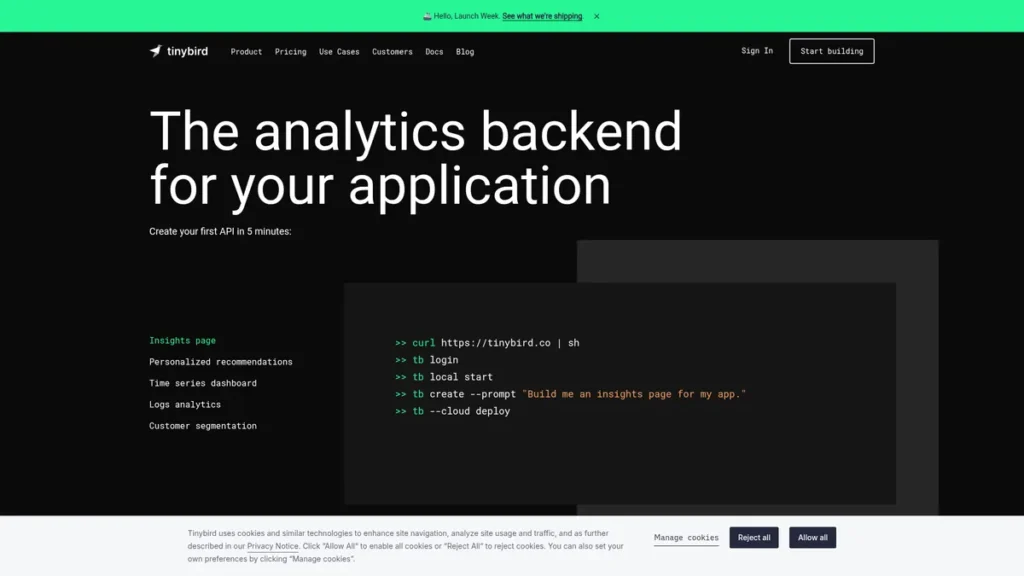
From a developer’s standpoint, Tinybird is an analytics backend-as-a-service that radically simplifies the process of building high-performance, real-time data APIs. It effectively abstracts away the immense operational overhead of managing a data pipeline. At its core, it pairs a managed, production-grade ClickHouse database with a streamlined workflow that transforms SQL queries into secure, scalable, and low-latency HTTP endpoints. This allows engineering teams to move from raw, streaming data to a usable API in minutes, not weeks, eliminating the need to architect complex ingestion services, API gateways, and database scaling strategies from scratch. It’s a purpose-built platform for developers who need to power user-facing analytics, internal dashboards, or any application requiring sub-second responses on large datasets.
Key Features and How It Works
Tinybird’s architecture is designed for speed and developer efficiency. The workflow is straightforward: ingest data, write SQL to transform it, and publish the SQL as an API endpoint. Here are the core components that make this possible:
- Hosted ClickHouse Database: Tinybird provides a fully managed instance of ClickHouse, an open-source columnar database renowned for its incredible query speed on analytical workloads. This frees developers from the complex tasks of installation, tuning, and scaling, providing a production-ready OLAP engine out of the box.
- Streaming Ingestion: The platform is built for real-time data. It offers high-throughput ingestion via simple HTTP endpoints or native connectors for streaming platforms like Apache Kafka. This ensures that data from your applications, servers, or event streams is available for querying almost instantaneously.
- Instant API Publishing: This is the platform’s core magic. Any SQL query you write in the Tinybird UI or define in your code can be published as a secure, documented REST API endpoint with a single click. Tinybird automatically handles parameterization, authentication, and generates OpenAPI specifications.
- Data as Code: Tinybird champions a Git-based workflow. Treating your data pipelines like application code is like having architectural blueprints for your data infrastructure. Instead of ad-hoc changes, every schema, transformation, and API endpoint is defined in plain text files. This enables version control, collaborative code reviews, and seamless integration into CI/CD pipelines for deploying changes across different environments.
- AI-Powered IDE Integration: To further enhance developer productivity, Tinybird integrates with IDEs to offer AI-assisted development. This can help with writing complex SQL queries, optimizing performance, and reducing the time spent on boilerplate code.
Pros and Cons
No tool is a perfect fit for every scenario. From a technical implementation perspective, here’s how Tinybird stacks up:
| Pros | Cons |
|---|---|
| Extreme Performance: Leverages ClickHouse to deliver sub-second query latency on billions of rows, which is critical for user-facing applications. | SQL-Centric Model: The platform is built entirely around SQL. Teams without strong SQL skills or those preferring a different query language may face a learning curve. |
| Rapid Development Velocity: The ability to go from a SQL query to a production API in minutes dramatically shortens development cycles for data-intensive features. | Specialized Use Case: It excels at real-time analytical APIs but is not a replacement for a general-purpose transactional database (like PostgreSQL) or a full-scale data warehouse for complex BI. |
| Scalability without Overhead: The managed infrastructure handles scaling automatically, allowing developers to focus on application logic rather than database administration. | Integration with Legacy Systems: Connecting to older or less common enterprise data sources may require custom ETL work, as native connectors are focused on modern streaming platforms. |
Who Should Consider Tinybird?
Tinybird is an ideal solution for engineering and product teams tasked with building data-driven features under tight deadlines. It’s particularly well-suited for:
- SaaS Companies: Teams building multi-tenant applications that need to provide real-time, in-product analytics or dashboards for their users without impacting the performance of their primary transactional database.
- Data Engineers and Platform Teams: Professionals looking to build and provide a centralized, high-performance analytics layer for their organization, offering ‘data APIs’ as a service to other internal teams.
- E-commerce and Marketing Tech: Developers implementing real-time personalization, activity tracking, or conversion funnel analysis that requires immediate insights from event streams.
- IoT and Observability: Engineers working with high-volume time-series data from sensors or application logs who need to build real-time monitoring and alerting systems.
Pricing and Plans
Tinybird operates on a freemium model, making it accessible for projects of all sizes.
- Free Tier: A generous free plan is available for developers to build and prototype projects. It includes core features with limitations on storage and compute resources, making it perfect for personal projects or proof-of-concepts.
- Build Tier: Starting at $45 per month, this plan is designed for production applications. It operates on a usage-based model, where costs scale with the compute resources and data storage you consume. This provides flexibility, allowing you to pay only for what you need as your application grows.
- Enterprise: For large-scale deployments with high-performance requirements, custom enterprise plans offer dedicated infrastructure, advanced security features like AWS Private Link, service level agreements (SLAs), and dedicated support.
For the most current pricing details, please refer to the official Tinybird website.
What makes Tinybird great?
Tinybird’s most powerful feature is its ability to materialize SQL queries as low-latency, production-ready REST APIs in seconds. This single capability abstracts away a mountain of backend complexity. Normally, exposing data insights requires an entire toolchain: a performant database, an ingestion pipeline, a backend application layer to handle business logic, an API gateway for security and routing, and an observability stack to monitor it all. Tinybird collapses this entire stack into a cohesive, SQL-centric workflow. This radical simplification not only accelerates time-to-market but also empowers smaller teams or even individual full-stack developers to build data products that were once the exclusive domain of large, specialized data engineering teams.
Frequently Asked Questions
- How does Tinybird handle data security and compliance?
- Tinybird is built with security as a priority. The platform is SOC2 Type II certified and HIPAA compliant, providing robust data protection and regulatory adherence. All data is encrypted at rest and in transit, and APIs are secured with authentication tokens to ensure controlled access.
- Can I connect Tinybird to my existing data warehouse like Snowflake or BigQuery?
- Yes, Tinybird provides connectors that allow you to sync data from major data warehouses like Snowflake, BigQuery, and Redshift. This enables you to use it as a high-performance API layer on top of your existing data, powering real-time applications without putting load on your core warehousing systems.
- What is the learning curve like for developers new to ClickHouse?
- While Tinybird abstracts away the management of ClickHouse, developers still interact with it via SQL. ClickHouse uses a standard SQL dialect, so anyone proficient in SQL will be productive quickly. The primary learning curve involves understanding columnar database concepts and specific ClickHouse functions to optimize queries for maximum performance.
- How does Tinybird’s ‘Data as Code’ workflow improve development cycles?
- The ‘Data as Code’ approach allows you to manage your data projects (schemas, transformations, APIs) in a Git repository. This integrates your data pipelines directly into your software development lifecycle. You can create branches for new features, run automated tests in CI/CD, and conduct peer reviews, leading to more reliable, maintainable, and collaborative data development.