

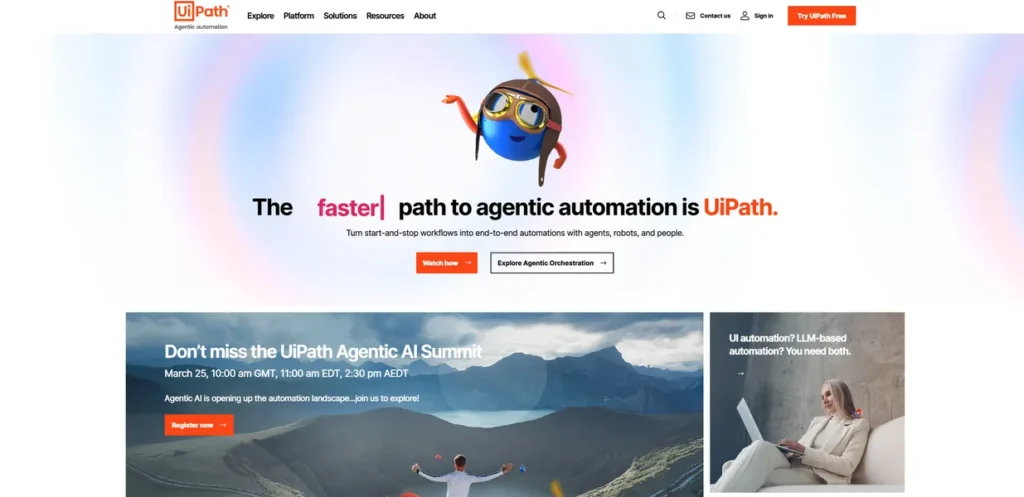
What is UiPath?
UiPath is an advanced automation platform that aims to create a ‘digital workforce’ for your business. It combines Robotic Process Automation (RPA) with Artificial Intelligence (AI) to build software ‘robots’ that can mimic human actions on a computer. For a small business owner, this means automating the tedious, repetitive digital tasks that consume valuable employee hours—things like data entry, processing invoices, or managing customer records. Instead of just a simple task macro, UiPath provides a comprehensive suite of tools designed to discover, build, manage, and run automations at scale, effectively acting as an operational hub for your company’s automated processes.
Key Features and How It Works
UiPath operates on a discover-build-manage cycle, offering specific tools for each stage. It allows you to analyze your current workflows to find the best opportunities for automation and then provides the tools to build and deploy the robots to handle them.
- Process and Task Mining: Before you can automate, you need to know what to automate. UiPath’s mining tools analyze how your employees use different applications, identifying repetitive tasks and bottlenecks that are prime candidates for automation. Think of it like a business consultant who watches your team work to find inefficiencies, except it does so automatically by analyzing system logs and user interactions, providing a data-backed map of where you can save the most time and money.
- AI-Powered Automation & Computer Vision: This is the core of the platform. UiPath’s AI capabilities allow its robots to do more than just follow rigid rules. They can read and understand documents (like invoices or contracts), interpret on-screen elements like a human using Computer Vision, and make simple decisions. This enables automation of more complex workflows that involve unstructured data or applications without direct API access.
- Low-Code Development (Studio): UiPath Studio is the platform’s development environment. It features a drag-and-drop interface that allows users to visually design automation workflows. While technical expertise is beneficial for complex projects, this low-code approach means you don’t necessarily need a dedicated team of programmers to build effective automations, making it more accessible for businesses with limited IT resources.
- Orchestrator: Once you’ve built your software robots, UiPath Orchestrator is the central command center for deploying, managing, and monitoring them. From this web-based application, you can schedule jobs, manage robot workloads, and track performance analytics to measure your return on investment (ROI).
Pros and Cons
While powerful, UiPath presents a mix of significant advantages and practical challenges for smaller operations.
Pros:
- High Scalability: The platform is built to grow with you. You can start by automating a single process and scale up to hundreds across your entire organization without hitting a technical ceiling.
- Extensive Integration: UiPath connects with a vast library of business applications, from SAP and Salesforce to legacy systems, ensuring it can work within your existing tech stack.
- Powerful Analytics: The platform provides detailed, real-time data on your automation’s performance, helping you clearly demonstrate ROI and justify the investment.
Cons:
- Significant Learning Curve: Despite its low-code features, mastering the platform to build robust automations requires a real time investment in training and practice. This isn’t a simple plug-and-play tool.
- Resource Demands: Running complex automations, especially at scale, can be resource-intensive and may require dedicated server infrastructure, adding to the overall cost.
- Potentially High Cost: While a free tier exists, the professional-grade tools come at a price that may be a considerable expense for a small business, requiring a clear cost-benefit analysis before adoption.
Who Should Consider UiPath?
UiPath is not for every business. It’s best suited for organizations, regardless of size, that have a high volume of rule-based, repetitive digital processes. If your team spends a significant portion of its day on tasks like manual data entry, report generation, invoice processing, or cross-platform data migration, UiPath could deliver a substantial ROI. Industries like finance, healthcare, and logistics, which are heavy on documentation and compliance, are natural fits. However, a small e-commerce business looking to automate order processing or a marketing agency aiming to streamline client reporting could also see major benefits, provided the process volume justifies the platform’s cost and learning curve.
Pricing and Plans
UiPath’s pricing structure is designed to accommodate different scales of operation, but navigating it requires careful consideration.
- Free Plan: UiPath offers a free tier that is suitable for individual users, developers, or very small teams looking to learn the platform and automate personal tasks. It provides access to the core Studio and basic robot functionality.
- Pro Plan: Starting at approximately $420 per month, this plan is aimed at small to medium-sized teams. It includes more advanced features, attended robots (which work alongside a human), and access to the Orchestrator for managing automations.
- Enterprise Plan: This is a custom-priced tier for large-scale deployments. It includes unattended robots (which can run 24/7 without human supervision), advanced security, dedicated support, and access to the full suite of UiPath tools, including Process Mining and AI features.
Disclaimer: Pricing is subject to change. For the most accurate and detailed information, consult the official UiPath website.
What makes UiPath great?
The single most powerful feature of UiPath is its holistic integration of AI with a robust RPA foundation. This fusion transforms automation from a simple, brittle script into an intelligent, adaptive system. While many tools can automate a linear task, UiPath excels at handling the exceptions and variations that occur in real-world business processes. Its ability to process unstructured documents with AI, see screens like a human with computer vision, and manage the entire automation lifecycle from a central hub provides an end-to-end solution that goes far beyond basic task automation. It’s this comprehensive, enterprise-grade approach that makes it a leader in the field.
Frequently Asked Questions
- What is RPA and how does UiPath use it?
- Robotic Process Automation (RPA) is technology that uses software ‘robots’ to automate repetitive, rule-based digital tasks by mimicking human interactions with user interfaces. UiPath is a leading RPA platform that provides the tools to build, deploy, and manage these software robots at scale.
- Do I need to be a programmer to use UiPath?
- No, you don’t need to be a programmer for basic automations. UiPath Studio offers a low-code, drag-and-drop interface for building workflows. However, for creating more complex, resilient, and scalable automations, some programming knowledge (especially in .NET) is highly beneficial.
- Is UiPath a worthwhile investment for a small business?
- It can be, but it requires careful evaluation. If your business has high-volume, time-consuming digital tasks, the ROI from saved labor costs and increased accuracy can be significant. It’s crucial to start with a clear use case, calculate the potential savings, and weigh that against the platform’s subscription cost and the time investment for training.
- How does UiPath handle sensitive data and security?
- UiPath is an enterprise-grade platform with a strong focus on security. It offers features like role-based access control, credential vaults for securely storing login information, and detailed audit logs. All data can be processed and stored on-premise or in your private cloud, giving you control over sensitive information.