

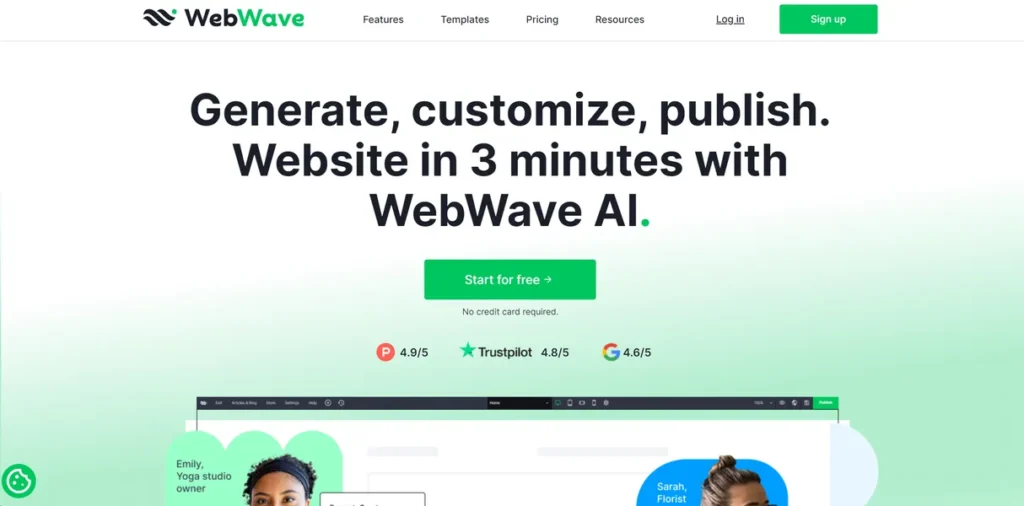
What is WebWave?
From a development standpoint, WebWave presents itself as more than a mere website builder; it’s a no-code development platform that abstracts away the complexities of front-end coding without sacrificing granular control. It effectively bridges the gap between graphic design software and a traditional IDE. For professionals accustomed to writing CSS to achieve pixel-perfect layouts, WebWave offers a visual paradigm that translates design intent directly into responsive web assets. It’s engineered for users who think visually but require the precision and power typically reserved for manual coding, making it a compelling tool for building sophisticated, static websites and landing pages with high fidelity to the original design concept.
Key Features and How It Works
WebWave’s architecture is built around providing maximum control through a visual interface, a philosophy evident in its core features.
- Drag-and-Drop Editor: Unlike many builders that confine elements to predefined blocks and grids, WebWave provides a true free-form canvas. Think of it like the difference between working in Adobe Illustrator versus Microsoft PowerPoint. In PowerPoint, you are largely guided by templates and placeholders. In Illustrator, you have a blank canvas where every vector and pixel can be placed with absolute precision. WebWave’s editor mirrors this by allowing developers and designers to position elements anywhere, directly manipulating their CSS properties like position, z-index, and transforms through an intuitive GUI.
- AI Design Suggestions: This feature functions as an intelligent linter for visual design. The AI analyzes your layout, color schemes, and typography, offering suggestions to improve visual hierarchy, accessibility, and overall user experience. For developers whose core strengths lie in logic and architecture rather than aesthetics, this serves as an invaluable automated design review, catching potential UX flaws before deployment.
- Responsive Design: The platform provides robust control over responsive breakpoints. Instead of relying on a one-size-fits-all fluid grid, users can adjust and completely re-architect layouts for specific device widths (desktop, tablet, mobile landscape, and portrait). This granular control is akin to writing custom media queries in CSS, ensuring the user experience is intentionally designed for each device, not just automatically adapted.
- SEO Optimization Tools: WebWave offers direct control over crucial on-page SEO elements. Developers can manage meta titles and descriptions, alt tags for images, and Open Graph settings without digging into code or relying on cumbersome plugins. It provides a streamlined interface for managing the technical SEO fundamentals necessary for search engine visibility.
Pros and Cons
Pros
- Unparalleled Design Flexibility: The free-form canvas is WebWave’s killer feature. It liberates users from the rigid box model of template-based systems, enabling truly custom and creative layouts.
- Streamlined Development Workflow: By merging the design and development phases into a single visual process, it dramatically reduces the time from mockup to live site, especially for visually complex projects.
- Integrated Hosting & Utilities: Bundling hosting, SSL, and SEO tools simplifies the deployment stack, making it an efficient all-in-one solution for client projects and internal marketing sites.
- No-Code Precision: The ability to control styling at a granular level without writing a single line of CSS is a significant efficiency gain for front-end specialists and a massive enabler for non-coders.
Cons
- Limited Third-Party Integrations: From a developer’s perspective, this is the platform’s most significant limitation. The lack of a robust API or a mature plugin marketplace restricts its use for projects requiring integration with external databases, custom backends, or specialized marketing automation tools. This makes it unsuitable for complex web applications.
- Potential for Vendor Lock-in: As a proprietary, closed-source platform, migrating a site away from WebWave could be challenging. The ability to export clean, maintainable HTML, CSS, and JavaScript is a critical consideration for long-term project viability.
- Steep Learning Curve for Complexity: While easy to start, mastering the tool to create a perfectly responsive, pixel-perfect design requires understanding layout principles. The sheer number of options can be overwhelming for true beginners.
Who Should Consider WebWave?
WebWave is an excellent choice for specific professional use cases. Front-end developers and web designers can leverage it for rapid prototyping and delivering highly customized websites for clients on a tight schedule. Digital marketing agencies will find it invaluable for creating high-fidelity landing pages that are SEO-ready out of the box. Small business owners and entrepreneurs who value unique branding over template-based designs can build a professional web presence without hiring a dedicated developer. However, development teams building complex web applications that require database connectivity, user authentication, or extensive third-party API calls will find the platform’s integration capabilities too restrictive for their needs.
Pricing and Plans
WebWave operates on a paid model, with its Pro plan offering a comprehensive feature set for professional use.
- Starting Price: $9/month
- Available Plans: The Pro plan, at approximately $9 per month, is designed for users ready to launch a professional website. This tier typically includes a custom domain connection, removal of WebWave branding, increased storage, and access to all of the platform’s advanced design and SEO functionalities.
For the most current and detailed pricing information, please consult the official WebWave website.
What makes WebWave great?
Ever felt boxed in by template-based website builders, unable to nudge an element just a few pixels to the left? WebWave’s core strength lies in its definitive answer to that frustration. Its greatness comes from successfully translating the free-form, pixel-perfect control of graphic design software into a functional web development environment. It deconstructs the traditional, rigid structure of web builders and gives developers and designers a blank canvas with a powerful visual toolkit. This approach respects the user’s creative intent down to the last detail, eliminating the common friction point between a static design mockup and its often-compromised implementation in a restrictive, template-driven system.
Frequently Asked Questions
- Can I export my website’s code from WebWave?
- This is a critical consideration regarding vendor lock-in. While WebWave is a hosted platform, you should check their latest documentation for options on code exporting. The portability and maintainability of the exported code are key factors for developers considering the tool for long-term projects.
- How does WebWave handle website performance and code optimization?
- WebWave manages hosting and asset delivery, which typically includes optimizations like image compression and CDN utilization. The platform aims to generate clean code, but as with any builder, performance can be influenced by design choices, such as the use of large images or complex animations. It’s advisable to run performance tests on any site built with the tool.
- Are there any API or webhook capabilities for integration?
- Currently, WebWave has limited integration capabilities compared to platforms with extensive APIs and app marketplaces. This is a primary constraint for developers looking to connect the front-end to custom back-end services, CRMs, or other external tools. Its focus remains primarily on building self-contained, visually-driven websites.
- How does the responsive design editor work on a technical level?
- The responsive editor allows you to set custom breakpoints and then adjust element properties (size, position, visibility) specifically for that breakpoint and smaller. This is essentially a visual interface for writing CSS media queries. Changes made in one view (e.g., mobile) do not affect larger views (e.g., desktop) unless intended, offering precise control over the responsive behavior of the site.